The ride, simulated
How Vela drives
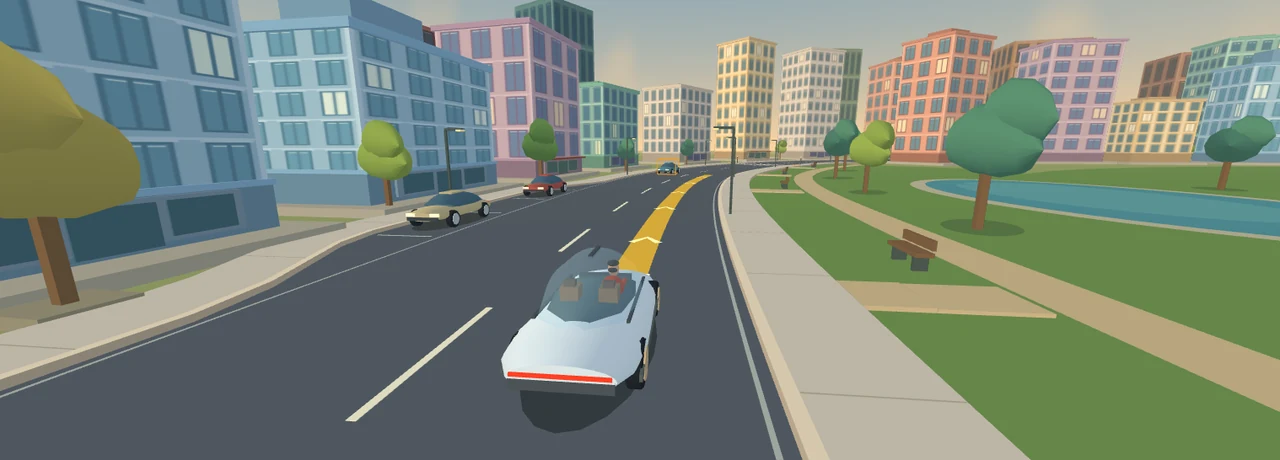
Drive a model city loop. Switch cameras and see how supervision and weather affect the drive.
Demonstration Not a real product. Not certified for public roads. No real charges. About this demonstration
1 of 6
From pixels to decisions
Watch how the model builds a picture of the street.
- Observed space
- Occupied space
- Uncertain space
- Scenario
- Supervised
- Supervision
- Driver monitoring
- Perception
- Clear sight range
- Following gap
- —
Use the arrow keys or these controls. The amber line marks the model’s route.
The amber line marks the planned path. Start the guided tour to explore how the model drives.
Tokens
From pixels to decisions
A driving model starts with a stream of camera images. Adjust the camera count, image resolution and clip length to see how many patches it receives.
Image patches
200,000 patches per frame25 pixels per patch
Camera views
Clip frames
1,080 frames per cameratokens
7 cameras × 1,080 frames × 200,000 patches
Driving logic
Read the roadworks
A flagger waves traffic around a row of cones. Compare two versions of the approach on the city loop. A fixed rule set waits at the obstruction. The simulated network uses the gesture to select a path around it.
Roadworks controller
The simulated network follows the flagger’s gesture, slows for the cones and steers around them.
- Person near lane → stop
- Lane closed → wait
- Centre line → stay in lane
- Flagger waving traffic through → no rule
Training
Teach a model to brake
Drive a held-out route, fit a model on common clips, then try the same route again. Add rare cases to the training set and see whether the new model handles the failure.
Choose a test drive
The traffic signal is dark. The lead car slows at the crossing and glare weakens the brake-light reading.
Waiting for a test drive.
Edit the training set
These synthetic clips teach the model when to brake. The test drives use separate examples.
Collect clips in FleetUntrained model. All three weights start at zero.
Run the selected drive to see how the untrained model responds.
What the model learned
- Brake lights
- 0.00
- Closing gap
- 0.00
- Signal outage
- 0.00
- Correct on training clips
- —
Compare runs
Both models read the same frame. Brake confidence is the model’s estimated chance that it should brake. Uncertainty is highest near an even choice.
| Prediction | Before rare clips | After rare clips |
|---|---|---|
| Brake confidence | — | — |
| Uncertainty | — | — |
| Drive outcome | — | — |
Fleet
Collect the exceptions
Each trigger watches for a different kind of driving event. Turn on triggers to gather simulated examples that ordinary driving misses.
Fleet triggers
0 rare clips gathered. Gather at least 40 to retrain the braking model.
Return to trainingChip
Make time to think
Larger models take longer to run on the example chip. Move the slider past the frame budget, then watch how the car’s responses lag behind the path drawn on the road.
Illustration · Inference budget
The model fits inside the frame budget. Each decision uses a fresh frame.
Supervision
Who is in the seat?
Compare assisted driving with a driver responsible for supervision and an empty-seat concept for a defined service area. Switch modes and inspect the canopy in the Chase camera.
Cabin mode
The driver in the seat monitors the system and is responsible for the drive.
- Supervised
- A driver monitors the system and can take the wheel.
- Empty seat
- The concept operates inside a defined service area.
Beyond the simulation
Explore the concept’s model, in-car processing and supervision policy.